Enhance Your Apple Watch Experience with Pause Point
- Samantha Green
- 11 hours ago
- 4 min read

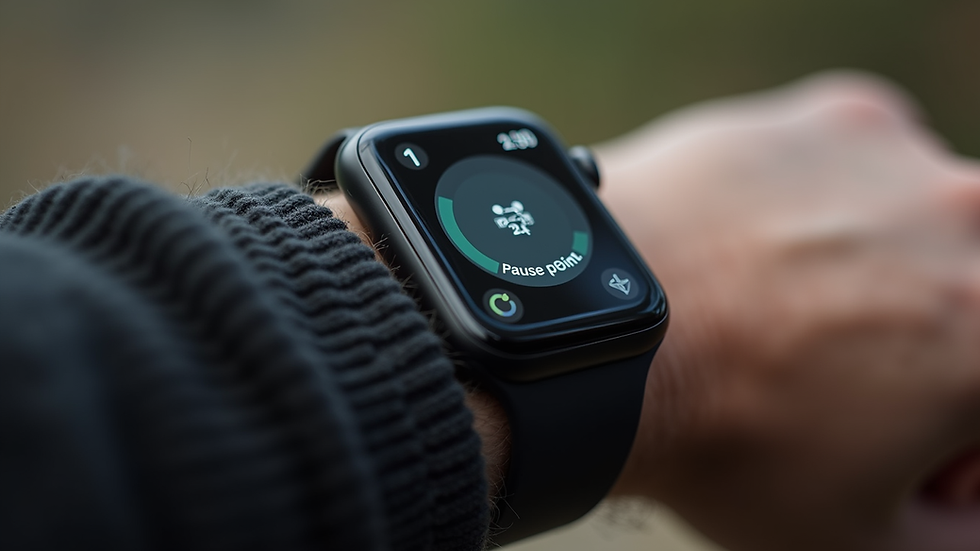
The Apple Watch has become an essential companion for many, offering a plethora of features that enhance daily life. However, many users may not be fully utilizing its capabilities. One feature that can significantly improve your experience is Pause Point. This blog post will explore how to make the most of your Apple Watch with Pause Point, providing practical tips and insights to elevate your smartwatch experience.
What is Pause Point?
Pause Point is a feature designed to help users manage their time and tasks more effectively. It allows you to pause ongoing activities, whether you're tracking a workout or managing notifications. This feature is particularly useful for those who lead busy lives and need to juggle multiple responsibilities.
Key Benefits of Pause Point
Improved Focus: By pausing distractions, you can concentrate on what truly matters.
Better Time Management: Pause Point helps you allocate time more efficiently, ensuring you stay on track with your tasks.
Enhanced Productivity: With the ability to pause and resume activities, you can maintain a steady workflow without interruptions.
How to Enable Pause Point on Your Apple Watch
Enabling Pause Point is straightforward. Follow these steps to get started:
Open the Settings App: On your Apple Watch, locate and tap the Settings app.
Select Workout: Scroll down and select the "Workout" option.
Enable Pause Point: Toggle the Pause Point feature to "On."
Once enabled, you can easily pause your workouts or notifications with a simple tap.
Using Pause Point During Workouts
One of the most practical applications of Pause Point is during workouts. Whether you're running, cycling, or doing yoga, this feature can help you manage your exercise sessions more effectively.
Example: Running with Pause Point
Imagine you're on a run and need to stop for a moment. Instead of ending your workout session, simply tap the Pause Point feature. This allows you to take a breather, hydrate, or adjust your gear without losing track of your progress.
Track Your Stats: When you resume your workout, your stats will continue to accumulate, giving you an accurate representation of your performance.
Stay Motivated: Knowing you can pause and resume can encourage you to push through tough workouts.
Managing Notifications with Pause Point
In our fast-paced world, notifications can be overwhelming. Pause Point allows you to take control of your notifications, ensuring you only engage with what’s important.
Example: Managing Notifications
When you receive a barrage of notifications during a meeting or while spending time with family, you can use Pause Point to silence them temporarily. Here’s how:
Swipe Down on Your Watch Face: Access the notification center.
Tap on the Pause Point Icon: This will silence notifications for a set period.
Resume Notifications: Once you’re ready, simply tap the icon again to resume notifications.
This feature helps you maintain focus and reduces distractions, allowing you to be present in the moment.
Customizing Pause Point Settings
To make the most of Pause Point, consider customizing its settings to fit your lifestyle. Here’s how:
Adjust Notification Preferences: Go to the Notifications section in the Settings app and select which apps you want to receive notifications from.
Set Time Limits: Customize how long you want notifications to be paused. This can be particularly useful during work hours or family time.
Integrate with Other Apps: Some third-party apps may also support Pause Point, allowing for a more seamless experience.
Real-Life Scenarios for Using Pause Point
Understanding how to implement Pause Point in your daily life can help you see its value. Here are a few scenarios where this feature shines:
Scenario 1: During a Busy Workday
If you have back-to-back meetings, use Pause Point to silence notifications and focus on the task at hand. This ensures you don’t miss important information while minimizing distractions.
Scenario 2: Family Time
When spending quality time with loved ones, activate Pause Point to avoid interruptions from notifications. This allows you to engage fully without the constant ping of your watch.
Scenario 3: Intense Workouts
During high-intensity workouts, you might need to pause for hydration or rest. Use Pause Point to track your workout accurately while taking necessary breaks.
Troubleshooting Common Issues with Pause Point
While Pause Point is designed to be user-friendly, you may encounter some issues. Here are a few common problems and their solutions:
Problem: Pause Point Not Responding
If you find that Pause Point isn’t responding, try restarting your Apple Watch. This can resolve minor glitches.
Problem: Notifications Still Coming Through
Ensure that you have correctly enabled Pause Point in the settings. Double-check your notification preferences to ensure they align with your needs.
Conclusion
Pause Point is a powerful feature that can significantly enhance your Apple Watch experience. By allowing you to manage your time and distractions effectively, it empowers you to focus on what truly matters. Whether you're working out, managing notifications, or spending time with loved ones, Pause Point can help you stay on track and improve your overall productivity.
Take the time to explore this feature and customize it to fit your lifestyle. With a little practice, you’ll find that Pause Point can transform the way you interact with your Apple Watch, making it an even more valuable tool in your daily life.


Comments